IBB product · Sales + Business Central
Power Connector for Dynamics 365 Business Central
Dynamics 365 Sales, with its sales automation, business process flows and pipeline management, fully integrated with Business Central. Your sales process stays linked to your accounting and inventory, so you sell and fill customer demand faster.
- 19 integration points
- Runs on Power Automate
- Essentials and Premium
01What it is
Sales and Business Central, working as one.
Power Connector for Dynamics 365 gives you the tools to automate your sales processes in Dynamics 365 Sales and link them to the accounting and inventory management information in Business Central.
It includes 19 integration points and can be extended with more integration points and custom fields. Power Automate is the engine behind the integration, which makes it a good fit for keeping Business Central and Dynamics 365 Sales in sync.
02Real screens
Inside Business Central.
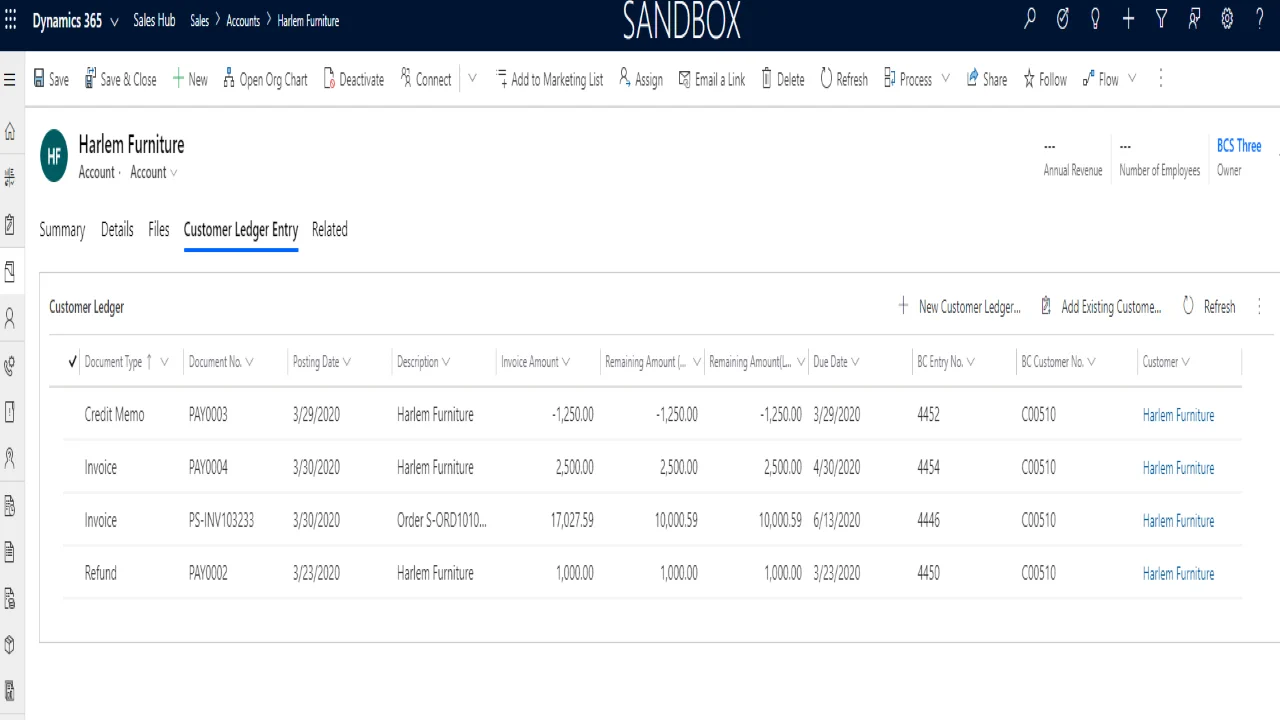
Power Connector as it runs, captured in a demo sandbox. Nothing here is a mock-up.
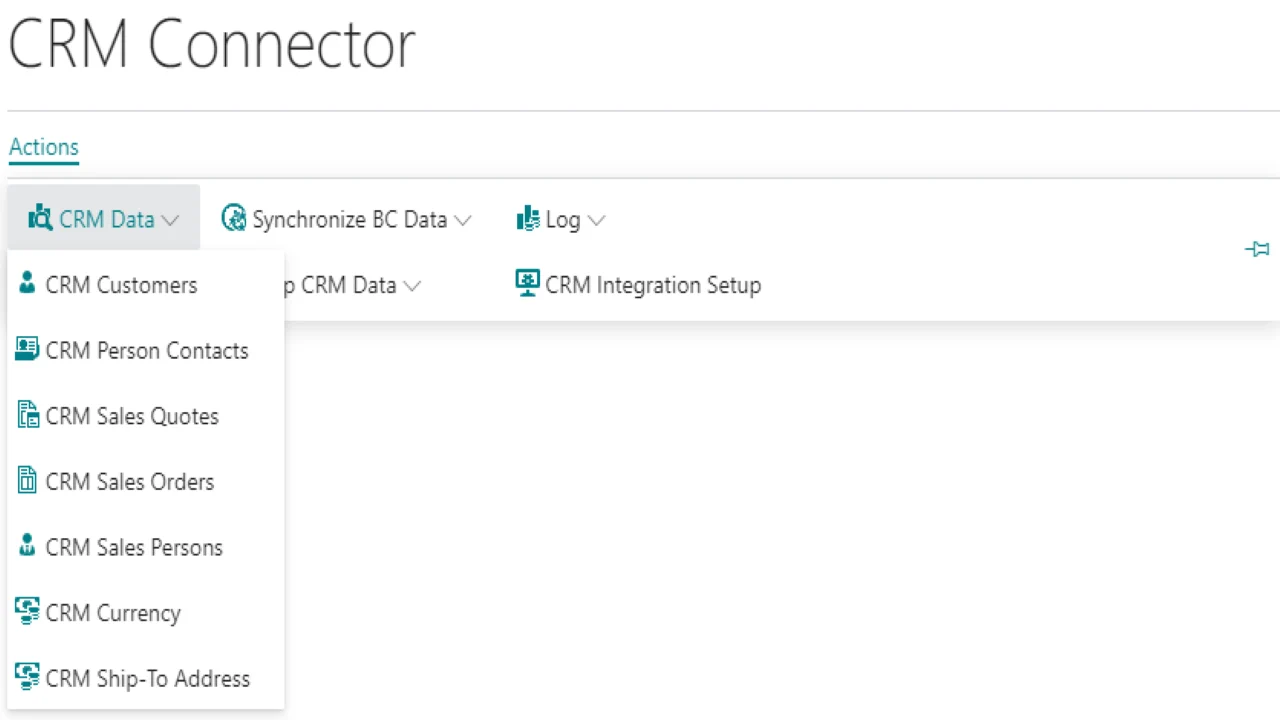
CRM data in Business Central
The CRM Data menu lists customers, person contacts, sales quotes, sales orders, salespersons, currency and ship-to addresses from Dynamics 365 Sales.
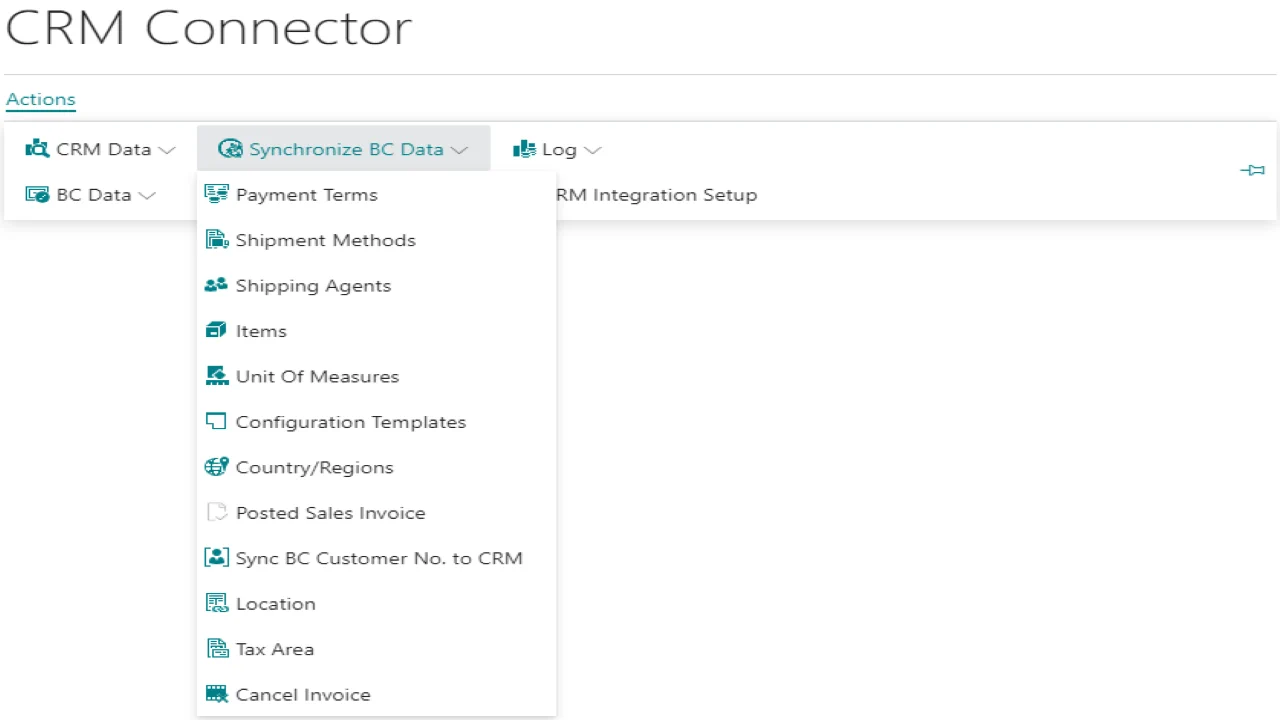
Synchronize Business Central data
Payment terms, shipment methods, shipping agents, items, units of measure, locations, tax areas, posted sales invoices and the Business Central customer number.
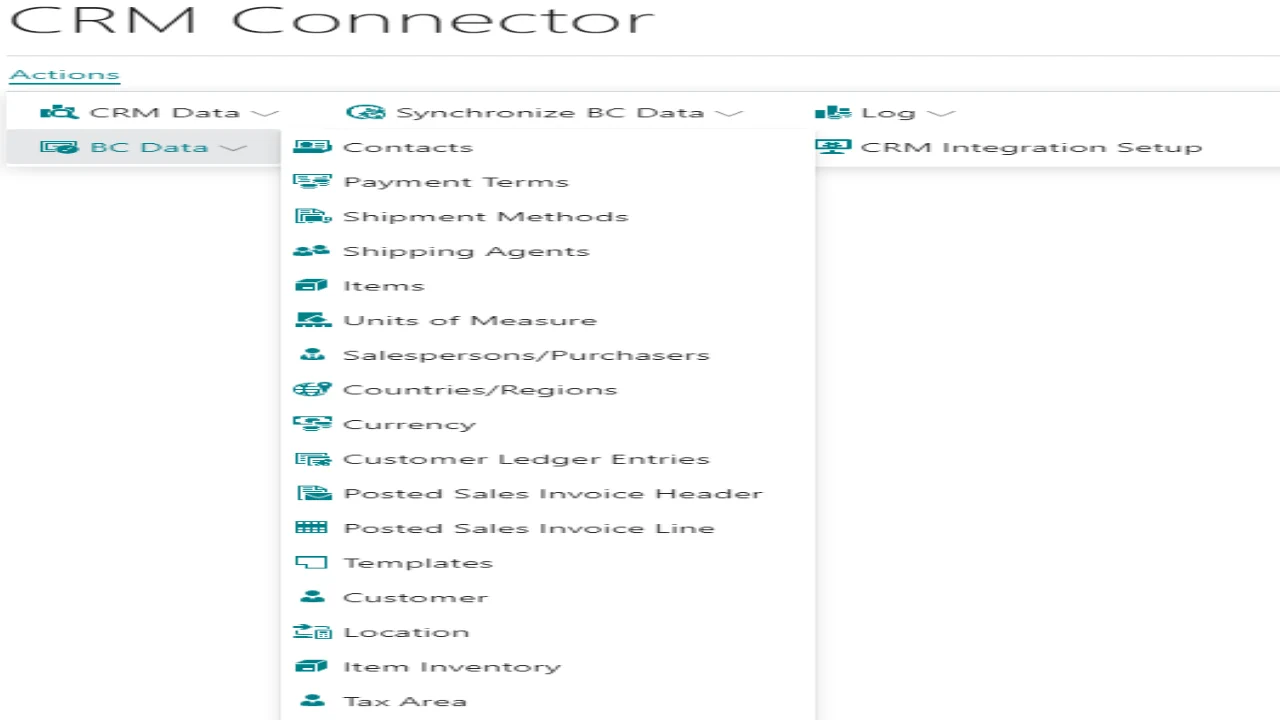
Business Central data, ready to share
The BC Data menu: contacts, customers, items and item inventory, customer ledger entries, posted sales invoice headers and lines, currency and more.
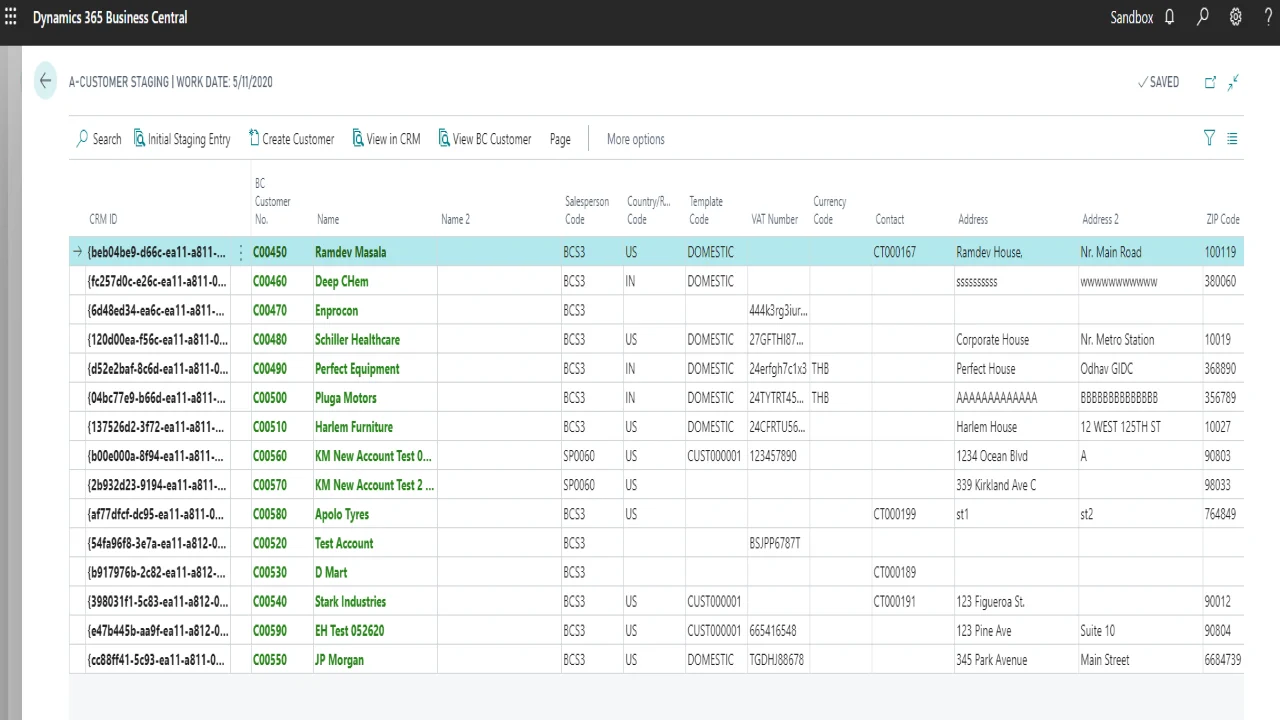
Customer staging
Each Sales account arrives with its CRM ID next to the Business Central customer number, with actions to create the customer or view it in CRM.
Contact
Ask about Power Connector.
Tell us how you use Dynamics 365 Sales and Business Central today. We reply within one business day.
- Visit
- 1201 N Watson Rd, Ste 100C
Arlington, TX 76006 - Hours
- Monday to Friday, 8:00 AM to 5:00 PM
Tell us about your business
Takes about two minutes. We reply within one business day.
Thanks, we have your message.
We will reply within one business day. If it is urgent, call +1 (833) 789-1551.